

































































WELCOME TO THE FUTURE

The Ultimate Streaming Experience

50,000+ Live Channels • VODs Library • 4K Ultra HD 

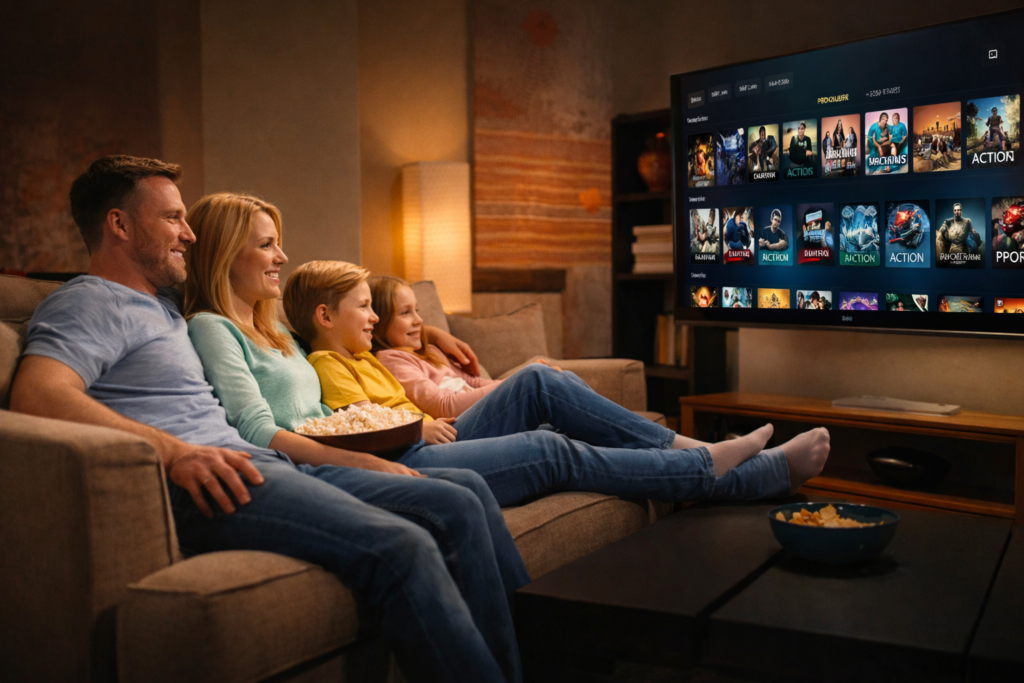
Get instant access to the biggest library of live sports, movies, and TV
shows. No freezing, no buffering—just pure premium entertainment for the
whole family.

30-Day Money-Back Guarantee

Compatible with Firestick · Android · iOS · Smart TV

WELCOME TO THE FUTURE

The Ultimate Streaming Experience

50,000+ Live Channels • VODs Library • 4K Ultra HD 

Get instant access to the biggest library of live sports, movies, and TV
shows. No freezing, no buffering—just pure premium entertainment for the
whole family.

30-Day Money-Back Guarantee

Compatible with Firestick · Android · iOS · Smart TV

3 Steps to Start Watching

Get set up on your TV, Computer, or Smartphone in less than 5 minutes.

01

Choose Your Plan

Select a subscription package that fits your needs. All plans include 50,000+ channels and 4K movies.

Get Credentials

Check your email instantly. We send your login details and a simple setup guide for your device.

02

Start Streaming

Login to the app and enjoy unlimited entertainment. No buffering, no freezing—just pure action.

03

Unlimited Movies & Series

Stream the latest blockbusters in 4K UHD

Experience the LBL Stream of

Premium Entertainment

Watch sports, movies, and series endlessly. No limits, no contracts.

View Pricing Plans

COMPATIBLE WITH EVERYTHING

Choose Your Plan

All plans include full access. No hidden fees.

TRIAL PACKAGE

$

9.97

1 Month Access

BASIC PACKAGE

$

29.97

3 Month Access

STANDARD PACKAGE

$

49.97

6 Month Access

BEST VALUE

PREMIUM PACKAGE

$

59.97

12 Month Access

Most customers choose this

Money-Back Guarantee

Try it risk-free for 30 days

SECURE PAYMENT :

Compatible With All Devices

Watch live TV, series, and movies at home or on-the-go. Zero
freeze, real-time streaming, and no delays.

Stop Overpaying for Streaming
Why pay for separate subscriptions when you can have it all in one place?

The "Old Way"

$15,49

Netflix (Standard)

Hulu (No Ads)

$17.49

Disney+

$13.99

HBO Max

$15,49

Apple TV+

$9.99

Amazon Prime

$14.99

Paramount+

$11.99

Peacock Premium

$15,49

Monthly Total

$112.42

Yearly Cost

$1,349.04

BEST CHOICE

With LBL STREAM

$

59

.97

/ YEAR

Get everything in the list on the left, plus 50,000+ Live Channels and PPV Events.

YOU SAVE :

$1,289.07 / year

Get It Now

Why Thousands Trust Us
Millions of entertainment hours, hundreds of channels — one subscription
for everything.
Happy Customers
0 +
Global Channels
0 +
Movies & Series
0 +
Live Sports Events
0 +

Customer Stories

Rated 4.9/5 based on 1,200+ Reviews

Hein
Hein
Netherlands
“Excellent service. Even when traveling, I had no issues watching my IPTV. Fast help every time I needed it.”

Martijn
Martijn
Netherlands
“Super smooth streaming. No buffering, amazing support. Honestly a 10/10 experience!”

Marc
Marc
Netherlands
“Up and running in under 30 minutes. Incredible value compared to my old cable bill.”

Alex
Alex
USA
“I’ve canceled all my streaming services. IPTV Thrill covers everything and more. The 4K movies are stunning.”

Michael
Michael
USA
“Amazing streaming quality. I’ve tried many IPTV services before but this one is the most stable. No buffering and the channels load instantly.”

Ahmed
Ahmed
UAE
“Customer support is very fast. I had a small setup question and they helped me immediately.”

David
David
NETHERLANDS
“The best part is the stability. No freezing and the sports channels work perfectly.”

Lucas
Lucas
CANADA
“Huge channel list and all the sports channels I needed. Watching UFC and football without any issues.”


3 Steps to Start Watching

Get set up on your TV, Computer, or Smartphone in less than 5 minutes.

Satisfaction Guaranteed

Your peace of mind is our priority. If you aren’t completely satisfied with the service, we offer a full refund within 30 days.

Instant Activation

No waiting around. Our automated system sends your login credentials and setup guide to your email seconds after payment.

All Devices Supported

Watch anywhere, anytime. We support Firestick, Smart TVs, Android, iOS, Mag Boxes, and PC/Mac without restrictions.
Help Center & Setup Guide

Everything you need to know about IPTVTHRILL subscriptions and installation.

General & Billing Questions

Yes — we offer multi-device subscriptions. You can stream on multiple devices, depending on the plan you choose. For full details, please visit: Multi-Device Subscription Pricing.

Once your payment is confirmed, you’ll receive two emails:

  1. First Email: Sent instantly with your invoice (and trial login details when applicable).
  2. Second Email: Sent shortly after with your full login details and setup instructions.

Note: In rare cases, delivery can take up to 8 hours. Please also check your Spam/Junk folder.

If 8 hours have passed and you still haven’t received an email, please check your Spam/Junk folder. If it’s not there, contact us right away:

  • Email: support@lblstream.net
  • Phone (SMS): (585) 812-1021
  • Live Chat: Use the WhatsApp button in the lower right corner.

You can stream on up to 8 devices (depending on your plan). Without extra connections, standard subscriptions allow streaming on one device at a time.

Yes, refunds are available under specific conditions. Please review our full policy here: Refund Policy.

Payment issues may occur due to bank security restrictions or verification checks. Please try the following:

  • Double-check your card number, expiration date, and CVV.
  • Try using a different debit or credit card.
  • Use PayPal: This option has the highest approval rate. You can securely check out as a guest using your card — no PayPal account required.

If the problem continues, contact us via WhatsApp for a direct secure invoice.

Technical Support
Yes — we recommend using a VPN. A VPN can reduce ISP throttling (which may cause buffering) and improves privacy. Make sure your VPN is connected before opening the IPTV app.
  • HD Streaming: Minimum 16 Mbps
  • 4K Streaming: 25 Mbps+ recommended
For best stability, we recommend using a wired Ethernet connection.
  1. Restart your internet router and your streaming device.
  2. Check your internet speed.
  3. If using Wi-Fi, move closer to the router or switch to Ethernet.
  4. Clear the cache inside your IPTV app settings.
If the issue continues, please contact support via WhatsApp or email.
Installation Guides

Click on your device below to see step-by-step instructions.

Step 1: Get Downloader

  1. Go to Settings > My Fire TV > Developer Options.
  2. Turn ON Apps from Unknown Sources.
  3. Search for “Downloader” and install it.

Step 2: Install IPTV Smarters Pro

  1. Open Downloader.
  2. In the URL box type:

    https://www.iptvsmarters.com/smarters.apk

    OR use code:
    59481

  3. Click Go and then Install.

Step 3: Login

  1. Open the app.
  2. Select Login with Xtream Codes API.
  3. Enter the login details sent to your email.

If you placed your order and haven’t received the email with the login details within 8 hours, please check your spam/junk folder. If you still cannot find it, contact us via:

  • Phone: (585) 812-1021 (sms)
  • Email: contact@lblstream.com
  • Live Chat:Contact customer service via the WhatsApp button in the lower right corner
  1. Firestick: Use Downloader to install

    https://ibodesk.com/media.apk

  2. Smart TV: Search “IBO Player” in your TV’s app store.
  3. Open the app. You will see a Device ID and Device Key.
  4. Go to the
    IBO Player Activation Website
    on your phone/PC.
  5. Enter your Device ID/Key and click Activate.
  6. Go to “Manage Playlists”, enter your ID/Key again.
  7. Select Add XC Playlist and enter your subscription details.
  8. Restart the app on your TV.

Method 1: IBO Player Pro (Easiest)

  1. Go to Roku Channel Store and install IBO Player Pro.
  2. Open app, note the Device ID and Key.
  3. Go to iboproapp.com > Manage Playlists.
  4. Login and select Add XC Playlist.
  5. Enter your credentials and restart the Roku app.

Method 2: Web Video Cast (Mirroring)

  1. Install Web Video Cast on your phone.
  2. Add M3U URL (from email).
  3. Connect to Roku via cast icon.
  4. Play channel on phone.

We recommend IPTV Smarters Pro or IBO Player.

  1. Go to your TV’s App Store.
  2. Search for “IPTV Smarters Pro” or “IBO Player”.
  3. Install and open.
  4. Login using Xtream Codes API.
If Smarters is not available, search for “Nanomid” or “Smart IPTV”.
  1. Go to Google Play Store.
  2. Download IPTV Smarters Pro or TiviMate Companion.
  3. Login using Xtream Codes API.
  1. Go to Google Play Store.
  2. Download IPTV Smarters Pro or TiviMate Companion.
  3. Login using Xtream Codes API.

MAG Box

  1. Go to Settings > System Settings > Servers > Portals.
  2. Set Portal Name.
  3. Set Portal URL (provided in email).
  4. Send us your MAC Address for activation.

Formuler / BuzzTV

  1. Open MYTVOnline 2/3 or Live TV.
  2. Go to Connections > Add Portal.
  3. Enter Portal URL.
  4. Ensure “Login Required” is UNCHECKED.
  5. Connect.

Still need help?

Our support team is available to assist you with setup.

Email

contact@LBLstream.com

SMS Support

+(44) 289-6230196

Live Chat

Use the WhatsApp button in the bottom right.